
Staying connected while traveling internationally isn’t just about convenience anymore—it’s often essential for navigation, translation, booking accommodations, and staying in touch with loved ones. If you’re planning a trip to Thailand, understanding your internet and mobile connectivity options before you arrive can save you time, money, and unnecessary stress.
Thailand offers excellent mobile network infrastructure with affordable options for tourists. Whether you’re island hopping in the south, exploring temples in the north, or navigating Bangkok’s bustling streets, having reliable internet access will enhance your travel experience.
This comprehensive guide walks you through everything you need to know about getting a Thailand SIM card, choosing the right data plan, understanding network coverage, and making informed decisions about staying connected throughout your journey.
Why You Need a Thailand SIM Card
International roaming charges from your home country carrier can be prohibitively expensive, often costing $10-15 per day or more. For a two-week trip, you could easily spend over $200 just on basic connectivity. A local Thailand SIM card typically costs between 150-800 baht ($4-22 USD) including generous data allowances, making it the most cost-effective solution for most travelers.
Beyond cost savings, having local mobile data means you can:
- Use navigation apps like Google Maps without worrying about finding Wi-Fi
- Book grab rides or food delivery services instantly
- Access translation apps in real-time when communicating with locals
- Share your travel experiences on social media as they happen
- Make local calls to hotels, restaurants, or tour operators
- Access important travel documents stored in cloud services
- Use mobile banking apps securely on cellular networks rather than public Wi-Fi
Thailand’s mobile networks provide 4G LTE coverage across most tourist areas, with 5G increasingly available in major cities. Network reliability is generally excellent, even in smaller towns and popular tourist islands.
Understanding Thailand’s Mobile Network Provider

Thailand has three major telecommunications companies that dominate the market, each offering competitive tourist SIM card packages.
AIS (Advanced Info Service)
AIS is Thailand’s largest mobile network operator with the most extensive coverage nationwide. The company has invested heavily in infrastructure, making it particularly reliable in rural areas, islands, and mountainous regions where other carriers may struggle.
Coverage strengths: AIS excels in remote areas including northern mountain provinces like Chiang Rai and Mae Hong Son, as well as southern islands such as Koh Lipe, Koh Tao, and less-developed parts of Koh Samui. If your itinerary includes off-the-beaten-path destinations, AIS often provides the most consistent service.
Tourist packages: AIS offers “Tourist SIM” packages specifically designed for international visitors, available at airports, 7-Eleven stores, and AIS shops. Packages typically range from 7 to 30 days with data allowances from 6GB to unlimited data options.
DTAC (Total Access Communication)
DTAC is Thailand’s second-largest operator and is particularly popular among budget-conscious travelers. The company was recently acquired by True Corporation but continues to operate under its own brand.
Coverage strengths: DTAC provides excellent coverage in Bangkok, Chiang Mai, Phuket, and other major tourist centers. The network performs well in urban areas and established tourist zones but may have weaker signals in very remote locations.
Tourist packages: DTAC’s “Happy Tourist SIM” is widely available and competitively priced. The company often includes additional perks like free incoming calls, bonus social media data, or international calling credits.
True Move H
True Move H (part of True Corporation) has grown significantly in recent years and now offers comprehensive coverage across Thailand. The company operates a combined network that includes both 4G and 5G infrastructure.
Coverage strengths: True Move H provides strong signals in central Thailand, tourist islands in the Andaman Sea (Phuket, Krabi, Phi Phi), and Gulf of Thailand destinations (Koh Samui, Koh Phangan). The network is particularly robust in Bangkok and surrounding provinces.
Tourist packages: True offers various tourist SIM options with flexible validity periods. Their packages often include unlimited social media usage for platforms like Facebook, Instagram, and Line, which doesn’t count toward your main data allowance.
Which Provider Should You Choose?
For most tourists visiting popular destinations like Bangkok, Chiang Mai, Phuket, or Pattaya, all three providers offer comparable service quality. However, consider these scenarios:
- Visiting remote areas or trekking: Choose AIS for the most reliable coverage
- Budget-focused city travel: DTAC often offers the best value for short trips
- Heavy social media users: True Move H’s social media unlimited packages may be ideal
- Island hopping: AIS typically provides the most consistent coverage across multiple islands
Where to Buy a Thailand SIM Card

At the Airport (Most Convenient)
All major Thai airports have official SIM card counters from AIS, DTAC, and True Move H located in the arrivals hall after you clear customs and immigration. This is the most convenient option for most travelers.
Available at:
- Suvarnabhumi Airport (Bangkok)
- Don Mueang Airport (Bangkok)
- Chiang Mai International Airport
- Phuket International Airport
- Krabi Airport
- Samui Airport
- U-Tapao Airport (Pattaya)
Operating hours: Counters typically operate from early morning until late night, covering all major flight arrivals. Some counters at Suvarnabhumi operate 24 hours.
What to expect: Airport counters are staffed by English-speaking representatives who will help you choose a package, install the SIM card in your phone, and verify it’s working before you leave. The entire process usually takes 5-10 minutes. Prices at airports are the same as retail stores—there’s no “airport premium.”
Payment methods: Counters accept cash (Thai baht and major foreign currencies) and credit/debit cards.
7-Eleven Convenience Stores
Thailand has over 13,000 7-Eleven stores, and most carry tourist SIM card packages from all three major providers. This option works well if you’re already settled in your accommodation or if airport counters are closed.
Advantages:
- Stores are everywhere, open 24/7
- Same prices as official stores
- Quick purchase process
Considerations:
- Staff may have limited English language skills
- You’ll need to activate and configure the SIM yourself
- Packages come with instructions, but they may not be as detailed
Official Operator Stores
AIS, DTAC, and True Move H operate branded retail stores in shopping malls, tourist areas, and major streets throughout Thailand. These stores offer the full range of packages and can provide detailed assistance.
When to visit:
- If you need help with technical issues
- When you want to explore all available options
- For purchasing add-on data packages or extending validity
- If you have specific requirements (hotspot usage, international calling, etc.)
Online Purchase Before Arrival
Some travelers prefer to purchase and receive their SIM card before departing their home country. Services like Klook, KKday, and official carrier websites offer mail delivery or airport pickup options.
Pros:
- Guaranteed availability
- Sometimes slightly cheaper than walk-in purchases
- Can connect immediately upon landing
Cons:
- Requires advance planning
- Airport pickup still requires finding the collection counter
- Limited flexibility if your travel dates change
Step-by-Step: Getting Your SIM Card Activated
What You’ll Need
Required documents:
- Passport (original, physical copy required)
- Your unlocked smartphone
Thailand requires ID verification for all SIM card purchases, in line with telecommunications regulations. Photocopies are not accepted—you must present your physical passport.
Phone Compatibility Check
Before traveling, verify your phone is unlocked and compatible with Thailand’s network frequencies:
Thailand uses the following bands:
- 4G LTE: Bands 1, 3, 5, 7, 8, 28, 40, 41
- 5G: n78, n79
Most modern smartphones from major manufacturers (Apple, Samsung, Google, etc.) support these bands. To confirm your phone is unlocked, contact your home carrier before departure. An unlocked phone can accept SIM cards from any carrier worldwide.
Installation and Activation Process
At an airport counter or official store:
- Choose your preferred carrier and package
- Present your passport to the staff member
- Staff will insert the SIM card into your phone
- They’ll configure APN settings if necessary
- Verification that mobile data is working
- You’ll receive a receipt with your Thai phone number and package details
Self-activation at 7-Eleven:
- Purchase the tourist SIM package
- Power off your phone
- Remove your existing SIM card (store it safely for when you return home)
- Insert the Thailand SIM card
- Power on your phone
- Follow the included instructions to activate (usually involves dialing a specific number or sending an SMS)
- Enable mobile data in your phone settings
- Wait 1-5 minutes for activation to complete
Troubleshooting: If mobile data doesn’t work immediately, try these steps:
- Restart your phone with the new SIM installed
- Manually configure APN settings (instructions included with the SIM package)
- Ensure mobile data is enabled in your settings
- Toggle airplane mode on and off
- Check that you’re not still in roaming mode
Understanding Your Thai Phone Number
Your Thailand SIM card comes with a local Thai mobile number, which typically starts with these prefixes:
- AIS: 06x, 08x, 09x
- DTAC: 06x, 08x, 09x
- True Move H: 06x, 08x, 09x
You can use this number to make local calls, receive verification codes for apps, book services, or share with hotels and tour operators. This number is active only for the duration of your package validity.
Comparing Tourist SIM Card Packages and Pricing
Understanding the various package options helps you select the best value for your specific travel needs. Prices and offerings are current as of 2026 but may vary slightly by season or promotional periods.
Short-Term Packages (7-8 Days)
These packages suit travelers on week-long holidays or those who want to test a network before committing to longer validity.
Typical offerings:
| Provider | Data Allowance | Validity | Approximate Price | Best For |
|---|---|---|---|---|
| AIS Tourist SIM | 6-15 GB | 7-8 days | 299-399 THB | First-time visitors, short trips |
| DTAC Happy Tourist | 8 GB | 7 days | 249 THB | Budget travelers |
| True Move H | 10 GB | 7 days | 299 THB | Moderate data users |
Medium-Term Packages (15 Days)
The most popular choice for typical Thailand vacations, offering a good balance between cost and coverage period.
Typical offerings:
| Provider | Data Allowance | Validity | Approximate Price | Best For |
|---|---|---|---|---|
| AIS Tourist SIM | 15-20 GB | 15 days | 449-549 THB | Standard two-week holidays |
| DTAC Happy Tourist | 15 GB | 15 days | 399 THB | Balanced usage patterns |
| True Move H | Unlimited | 15 days | 599 THB | Heavy streamers and video callers |
Long-Term Packages (30 Days)
Ideal for extended stays, digital nomads, or travelers exploring Thailand thoroughly.
Typical offerings:
| Provider | Data Allowance | Validity | Approximate Price | Best For |
|---|---|---|---|---|
| AIS Tourist SIM | Unlimited | 30 days | 799 THB | Long-term travelers, remote workers |
| DTAC Happy Tourist | 30 GB | 30 days | 599 THB | Extended stays with moderate usage |
| True Move H | Unlimited | 30 days | 799 THB | Digital nomads, constant connectivity needs |
What “Unlimited” Really Means
Unlimited packages typically include fair usage policies. After consuming a certain amount of high-speed data (often 15-20 GB per day), speeds may be reduced to 4-6 Mbps, which is still sufficient for navigation, messaging, web browsing, and standard-definition video streaming.
True unlimited packages are excellent value for:
- Uploading photos and videos to cloud storage
- Video calling with family back home
- Streaming music or podcasts throughout the day
- Using your phone as a mobile hotspot
- Working remotely with cloud-based applications
Add-On Options and Top-Ups
If you exhaust your data before your validity period ends, all carriers offer add-on data packages:
- Small top-ups: 1-3 GB for 50-100 THB
- Medium top-ups: 5-10 GB for 150-250 THB
- Speed boost packages: Unlimited data for 1-7 days for 99-299 THB
You can purchase these through:
- Carrier mobile apps
- USSD codes (dial specific numbers)
- Official stores
- 7-Eleven convenience stores
Special Features to Consider
International calling credits: Some tourist packages include 30-100 THB of international calling credit, allowing you to make calls back home without additional charges.
Free incoming calls: Many packages include unlimited incoming calls from both Thai and international numbers, which is useful for coordinating with hotels or receiving calls from home.
Social media unlimited: True Move H and some DTAC packages offer unlimited data for specific apps (Line, Facebook, Instagram, WhatsApp) that doesn’t count toward your main data allowance.
5G access: If you have a 5G-capable phone and plan to stay primarily in Bangkok, Phuket, or Chiang Mai, some carriers offer 5G tourist packages with faster speeds for approximately the same price.
Internet in Thailand: What to Expect
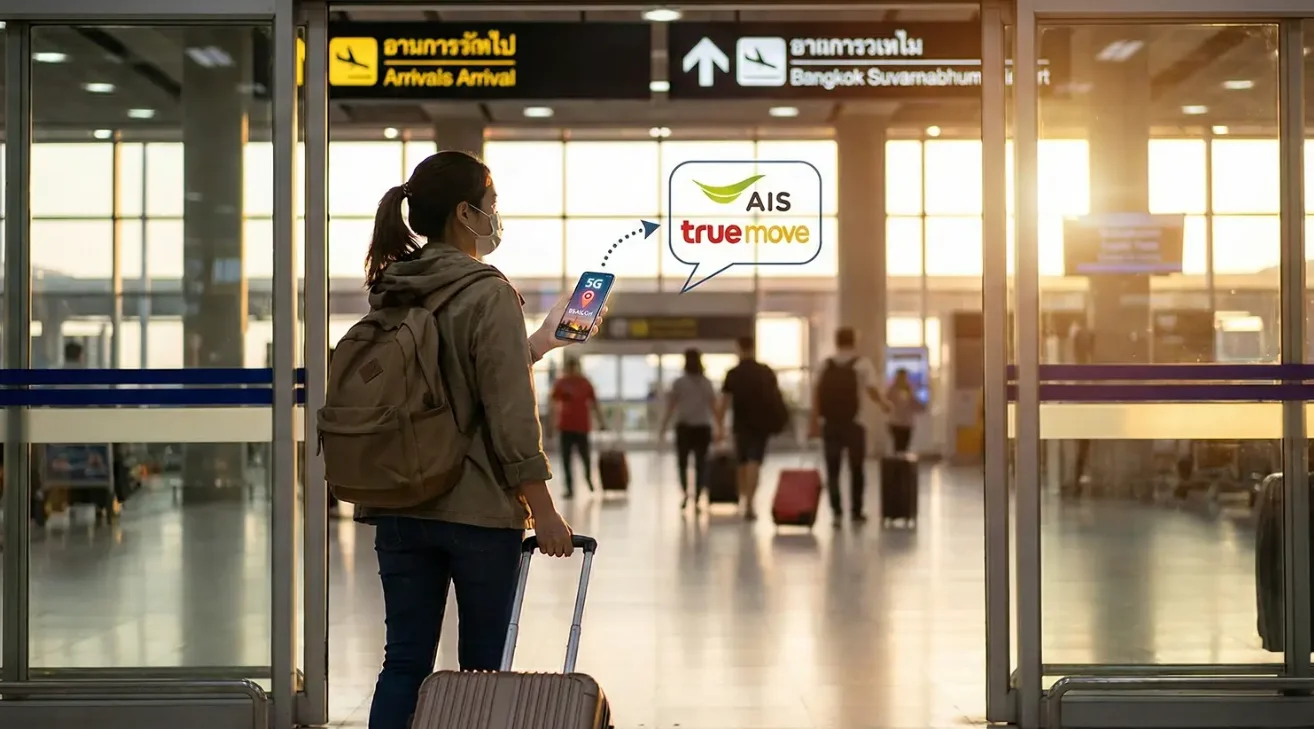
Mobile Data Speeds and Performance
Thailand’s mobile networks deliver strong performance by international standards. Independent testing by organizations like Opensignal consistently ranks Thailand in the top tier of Southeast Asian countries for mobile network quality.
Average speeds you can expect:
- 4G LTE: Download speeds of 20-50 Mbps in urban areas, 10-30 Mbps in rural locations
- 5G: Download speeds of 100-300 Mbps in covered areas (primarily Bangkok, Phuket, Chiang Mai city centers)
These speeds are more than adequate for:
- HD video streaming on platforms like YouTube or Netflix
- High-quality video calls via Zoom, FaceTime, or WhatsApp
- Uploading high-resolution photos to social media
- Cloud storage synchronization
- Online gaming (with reasonable latency)
Real-world performance: During typical tourist activities, you’ll find mobile data remains consistently fast enough for simultaneous navigation, messaging, and occasional media uploads without noticeable delays.
Coverage Across Thailand’s Regions
Bangkok and Suburbs: All three carriers provide excellent coverage throughout the metropolitan area with strong 4G and expanding 5G. Coverage extends to outlying districts, the airport rail link, and major highways.
Chiang Mai and Northern Thailand: Coverage in Chiang Mai city is excellent. Rural areas and mountainous regions (Pai, Mae Hong Son, Chiang Rai mountains) have good coverage on major roads, though signals may weaken in valleys or very remote villages. AIS typically offers the strongest rural coverage in the north.
Phuket and Andaman Coast: Tourist islands and coastal areas have strong coverage. Phuket, Krabi, Phi Phi Islands, and Koh Lanta all have reliable service. More remote beaches or jungle areas may have reduced speeds but generally maintain connectivity.
Koh Samui and Gulf Islands: Koh Samui, Koh Phangan, and Koh Tao all have good coverage in populated areas. Beach resorts and party areas are well-covered, though some remote bays may have weaker signals.
Isaan (Northeast Thailand): Cities like Udon Thani, Khon Kaen, and Nakhon Ratchasima have strong coverage. Rural areas are generally covered along main roads, though remote villages may have basic 3G/4G rather than full-speed LTE.
Southern Border Provinces: Coverage in Songkhla, Hat Yai, and tourist areas near Malaysia is generally good, though some very remote areas may have limited connectivity.
Wi-Fi Availability
While having your own mobile data is recommended, Wi-Fi is widely available throughout Thailand as a supplementary option:
Free Wi-Fi is commonly found at:
- Hotels, guesthouses, and hostels (quality varies significantly)
- Cafes and restaurants, particularly those catering to tourists or expats
- Shopping malls and department stores
- Airports and some train stations
- Tourist information centers
- Many temples and museums
AIS Super WiFi: AIS operates a network of public Wi-Fi hotspots throughout Thailand. If you have an AIS SIM card, you can access these hotspots in addition to your mobile data, often at no extra charge or for a small daily fee.
Quality considerations: Hotel Wi-Fi can be inconsistent—luxury hotels generally provide excellent connectivity, while budget accommodations may have slow or unreliable service. Having your own mobile data ensures you’re never dependent on potentially poor hotel Wi-Fi.
Using Your Phone as a Mobile Hotspot
Most tourist SIM packages allow tethering (using your phone as a Wi-Fi hotspot for other devices). This is valuable if you’re traveling with a laptop, tablet, or traveling companion who needs connectivity.
To enable hotspot:
- iPhone: Settings > Personal Hotspot
- Android: Settings > Network & Internet > Hotspot & Tethering
Be aware that using your phone as a hotspot will consume data faster than phone-only usage, particularly if connected devices are performing updates or streaming video.
Practical Tips for Staying Connected
Managing Your Data Usage
Even with generous data allowances, smart usage helps ensure you don’t run out unexpectedly:
High data consumption activities:
- Streaming video (YouTube, Netflix): 1-3 GB per hour depending on quality
- Video calling: 200-500 MB per hour
- Uploading photos/videos to cloud storage or social media
- Downloading large files, maps, or app updates
- Using GPS navigation with continuous map streaming
Lower data consumption activities:
- Messaging apps (WhatsApp, Line, Telegram): Minimal data
- Web browsing: 1-5 MB per page
- Music streaming: 50-150 MB per hour
- Checking email without attachments: Minimal data
Data-saving strategies:
- Download offline maps before arrival or while on Wi-Fi (Google Maps, Maps.me)
- Download entertainment (Netflix episodes, Spotify playlists) on Wi-Fi for offline viewing
- Disable automatic app updates and cloud photo backups until you’re on Wi-Fi
- Use standard-definition video streaming instead of HD when watching content
- Monitor your data usage in your phone’s settings or carrier app
Checking Your Balance and Usage
All carriers provide multiple ways to monitor your remaining data and validity period:
Via carrier mobile apps:
- AIS: “myAIS” app (available in English)
- DTAC: “dtac app”
- True Move H: “TrueMove H” app
These apps show real-time data usage, remaining balance, validity period, and allow you to purchase add-ons directly.
Via USSD codes: You can dial special codes directly from your phone dialer to check balances:
- AIS: Dial *545#
- DTAC: Dial 1019#
- True: Dial *123#
These bring up a menu with balance information and top-up options.
Keeping Your Home SIM Card Safe
While using your Thailand SIM card, store your home country SIM card securely:
- Keep it in your passport holder or hotel safe
- Consider taking a photo of the SIM card number before storing it
- Some phones support dual SIM cards—if yours does, you can keep both installed (just disable data roaming on your home SIM)
What Happens After Your Package Expires
When your package validity ends:
- Data services will stop working
- You may still receive incoming calls (some carriers allow this briefly)
- You cannot make outgoing calls without credit
- Your Thai phone number typically remains active for 30-90 days without use
If you’re still in Thailand and need connectivity:
- Purchase a top-up or extension at any 7-Eleven or carrier store
- Some packages can be extended online through carrier apps
- You can buy a new SIM card if needed (though keeping the same number is usually cheaper)
Travel Insurance and SIM Cards
Most travel insurance policies don’t cover the cost of SIM cards or data packages, as these are considered standard travel expenses rather than insured events. However, if you’re claiming for a delayed flight or other covered incident, keep your SIM card receipt as it may contribute to overall documented expenses.
Special Considerations for Different Traveler Types
Digital Nomads and Remote Workers
If you’re planning to work remotely while in Thailand, your connectivity needs differ from typical tourists:
Recommended approach:
- Choose unlimited data packages for consistent connectivity
- Consider AIS for the most reliable service quality
- Test your carrier at your first accommodation and switch if performance is inadequate
- Use mobile hotspot sparingly for laptops to preserve battery life
- Identify backup cafes or co-working spaces with strong Wi-Fi in case of mobile network issues
eSIM options: Some carriers now offer eSIM (embedded SIM) options that can be activated digitally without a physical card. This is convenient if your phone supports eSIM technology, though physical SIM cards remain more widely available and often offer better value for tourists.
Family Travelers
Traveling with family creates different connectivity considerations:
Single SIM approach: Purchase one unlimited data SIM and use hotspot functionality to share with family members. This works well for short outings but can drain battery quickly.
Multiple SIM approach: Consider purchasing separate SIM cards for adults in the group. This provides redundancy and prevents one person’s phone from becoming a bottleneck. Children can connect via hotspot when needed.
Data usage reality: Family travel typically involves more navigation, searching for child-friendly restaurants, booking activities on the go, and keeping children entertained during transport—all of which increase data usage beyond typical solo travel.
Senior Travelers
For older travelers who may be less familiar with technology:
- Purchase and activate SIM cards at airport counters where staff can provide thorough assistance
- Ask staff to pre-configure messaging apps (WhatsApp, Line) and test calling home before leaving the counter
- Write down your Thai phone number and keep it accessible
- Consider AIS for the most reliable coverage if visiting diverse areas
- Keep the SIM card package and instructions with your important documents
Budget Backpackers
If minimizing costs is a priority:
- DTAC often offers the most competitive pricing for short to medium stays
- Choose packages based on actual needs—if you’ll primarily use Wi-Fi at hostels, a smaller data package may suffice
- Download maps, entertainment, and guidebooks while on Wi-Fi to reduce mobile data needs
- Many backpacker hostels have excellent Wi-Fi that can supplement limited mobile data
- Consider sharing a hotspot among travel companions for specific activities only
Alternatives to Local SIM Cards
While local SIM cards offer the best value for most travelers, alternative options exist:
International Roaming
Your home carrier may offer international roaming packages for Thailand. These have become more competitive in recent years but typically remain more expensive than local SIM cards.
When roaming makes sense:
- Very short trips (1-3 days) where SIM purchase time isn’t worthwhile
- If you need to maintain your home phone number for business or personal reasons
- When traveling across multiple countries where a regional roaming package may be cost-effective
Typical costs: Daily roaming passes range from $5-15 per day, making a week-long trip significantly more expensive than a local SIM.
International Travel eSIMs
Services like Airalo, Holafly, and Nomad offer digital eSIM plans that can be purchased and activated before departure. These provide data-only service (no local phone number for calls or SMS).
Advantages:
- Convenient activation before departure
- Keep your existing SIM for calls/texts on your home number
- Good for multi-country trips
Disadvantages:
- Typically more expensive than local SIM cards
- No local phone number for receiving calls or verification codes
- May use third-party networks with variable quality
- Requires eSIM-compatible phone
Pricing example: Thailand eSIM packages typically cost $15-30 for 7-15 days with 3-10 GB, making them 2-3 times more expensive than local SIM cards.
Portable Wi-Fi Hotspot Rental
Some travelers rent portable Wi-Fi devices (pocket Wi-Fi) that create a personal hotspot.
Pros:
- One device can serve multiple travelers
- Simple to use, just power on and connect
- No SIM card installation needed
Cons:
- More expensive than SIM cards (typically $5-10 per day)
- Another device to carry and charge
- No local phone number
- If the device is lost or damaged, you lose all connectivity
Wi-Fi Only
Some budget travelers attempt to rely entirely on free Wi-Fi at accommodations and cafes.
Reality check: This approach severely limits your flexibility and convenience. You cannot:
- Use navigation while walking or in transit
- Book ride-sharing services spontaneously
- Translate signage or menus in real-time
- Contact emergency services easily
- Adapt plans on the go based on current information
Given that SIM cards cost as little as $7-10 for a week, the improved travel experience far outweighs this minimal expense for most travelers.
Common Issues and Troubleshooting
No Mobile Data Connection
If your SIM card is installed but data isn’t working:
- Verify mobile data is enabled in settings
- Ensure you’re not still in airplane mode
- Restart your phone completely
- Check that you’ve selected the correct carrier in network settings
- Manually configure APN settings if automatic configuration failed
- Verify your package is actually activated (check via USSD code)
APN settings are usually configured automatically, but if needed, you can find correct settings on the carrier’s website or by asking at a store.
Slow Data Speeds
If you’re experiencing unusually slow internet:
- Check your data balance—you may have exhausted high-speed data allowance
- Your location may have weak coverage (try moving to a different area)
- Network congestion during peak hours (6-9 PM) can temporarily reduce speeds
- Restart your phone to potentially connect to a different tower
- Toggle airplane mode on and off to reset the connection
Cannot Make or Receive Calls
Tourist data packages are primarily designed for mobile internet. If calls aren’t working:
- Verify your package includes voice calling (most do, but some data-only packages exist)
- Check that you have sufficient call credit if making outbound calls
- Ensure the number you’re calling is correctly formatted (Thai numbers are 10 digits including area code)
- Incoming international calls may require the caller to use correct international dialing format
SIM Card Not Recognized
If your phone doesn’t detect the SIM card:
- Power off the phone, remove and reinsert the SIM card, ensuring it’s properly seated
- Verify your phone is unlocked (it may still be locked to your home carrier)
- Clean the SIM card contacts with a soft cloth if necessary
- Try the SIM in another unlocked phone to determine if the issue is with the SIM or your device
- Return to the point of purchase for a replacement if the SIM is defective
Running Out of Data
If you exhaust your data allowance before your validity period ends:
- Purchase add-on data at any 7-Eleven (staff can assist even with limited English)
- Use the carrier’s mobile app to buy top-ups directly
- Visit an official carrier store for personalized assistance
- Consider upgrading to an unlimited package if you consistently use more data than expected
Frequently Asked Questions
Can I use my Thailand SIM card for hotspot/tethering?
Yes, most tourist SIM packages allow you to use your phone as a mobile hotspot to share internet connectivity with other devices like laptops or tablets. There are typically no restrictions or additional charges for this feature with standard tourist packages. However, be aware that using hotspot functionality consumes data from your allowance faster than typical phone usage, and it will drain your phone’s battery more quickly. If you plan to regularly use hotspot capabilities, consider purchasing an unlimited data package.
Do I need to register my SIM card with my passport?
Yes, Thailand requires passport registration for all SIM card purchases, including tourist packages. This is a legal requirement under Thai telecommunications law and helps with network security and accountability. The registration process is simple—when purchasing from an airport counter or official store, you present your physical passport and staff complete the registration electronically. When buying from 7-Eleven, you may be asked for passport details, though enforcement varies. Keep your passport accessible when purchasing a SIM card, as photocopies are not accepted for registration purposes.
Will my unlocked iPhone work with Thai SIM cards?
Yes, unlocked iPhones work perfectly with all Thai carriers. iPhones support all the frequency bands used in Thailand, including 4G LTE and 5G networks. Before departing, ensure your iPhone is unlocked by contacting your home carrier—an unlocked iPhone will accept any carrier’s SIM card worldwide. After inserting the Thai SIM, your iPhone will automatically configure the necessary settings in most cases. If you have an iPhone with eSIM capability (iPhone XS and newer), you can keep your home SIM active for calls and texts while using a Thai eSIM for data, though physical SIM cards currently offer better value and wider availability for tourists in Thailand.
What’s the best SIM card for visiting islands like Phuket or Koh Samui?
For island destinations, AIS generally provides the most reliable coverage, particularly if you’re visiting multiple islands or more remote beaches. All three major carriers (AIS, DTAC, True) offer good coverage on major tourist islands like Phuket, Koh Samui, and Koh Phangan in populated areas and beaches. However, AIS tends to have stronger signals in remote bays, during boat trips between islands, and in less-developed areas. If you’re staying primarily at a resort on a main island, any of the three carriers will likely work well. For island hopping or visiting smaller islands like Koh Tao, Koh Lipe, or Koh Chang, AIS is the safer choice for consistent connectivity throughout your journey.
Can I keep my Thai phone number for future trips?
Yes, Thai SIM cards remain active for extended periods even without use, though the specific timeframe varies by carrier—typically 30-90 days after your package expires. If you plan to return to Thailand within a few months, you can keep the SIM card and reactivate it by purchasing a new package or top-up upon arrival. Store the SIM card safely in your passport holder or wallet between trips.
Before your next visit, verify the SIM is still active by inserting it into your phone—if it connects to the network, you can simply add a new tourist package without needing to register again. This approach saves time on subsequent trips, as you can top up at 7-Eleven immediately rather than purchasing a new SIM. If the number has been deactivated due to extended inactivity, you’ll need to purchase a new SIM card and go through registration again.
Is there a way to call internationally back to my home country?
Yes, you have several options for making international calls from your Thai SIM card. Some tourist packages include international calling credit (typically 30-100 baht worth), which allows you to make direct calls to international numbers at standard rates. You can also purchase additional international calling credit through carrier apps or USSD codes.
However, the most cost-effective method for staying in touch with people back home is using internet-based calling services like WhatsApp, FaceTime, Skype, Line, or Facebook Messenger, which use your mobile data instead of voice minutes. These services offer voice and video calling at no additional cost beyond your data usage. For important calls requiring a regular phone number (such as bank verification calls), consider using apps like Skype or Google Voice that can call traditional phone numbers at low rates.
What should I do if my SIM card stops working during my trip?
First, check your data balance and validity period using the carrier app or USSD code to ensure your package hasn’t expired or run out of data. If the package is still active but you’re experiencing issues, try these troubleshooting steps: restart your phone completely, toggle airplane mode on and off, or manually search for networks in your settings and select your carrier.
If you’re in a remote area, the issue may simply be weak coverage—try moving to a more open location or higher ground. If none of these resolve the problem, visit any 7-Eleven or official carrier store with your passport, and staff can diagnose the issue, reset network settings, or provide a replacement SIM if necessary. For immediate emergencies, most hotels can assist with making phone calls or providing Wi-Fi access while you resolve SIM card issues.
Need Personalized Travel Planning Assistance?
For travellers who prefer professional guidance with Thailand itinerary planning, visa requirements, or coordinating connectivity solutions for group travel, Royal Thailand Tours offers consultation services tailored to individual travel needs and preferences.


